HR software solutions for small business bring hiring, employee records, payroll, and benefits into a single system. Owners spend less time on paperwork and get a lower risk of compliance mistakes.
What Do These Systems Actually Do?
Human resource software solutions manage the full employee lifecycle, from job posting to time tracking and reviews. Instead of separate tools for payroll, benefits, and files, one dashboard shows everything in one place.
These platforms typically connect four layers: an HRIS for employee data, payroll for pay and tax withholding, benefits administration for insurance and retirement plans, and compliance tracking for labor law requirements. When these layers are linked, one update, like a new address, updates every connected record automatically.
Most vendors package these modules differently, so it helps to see how HR, payroll, and compliance tools are typically bundled together before comparing platforms.
Core Features Worth Prioritizing
Not every business needs every module. The right mix depends on team size and daily operations, which is why hr software solutions for small business vary so much from one vendor to the next.
● Centralized employee records store contracts, tax forms, and personal details securely.
● Automated onboarding checklists cut paperwork once hiring becomes frequent.
● Time off and attendance tracking matters most for hourly or shift-based teams.
● Self service portals let employees update their own information.
● Compliance alerts flag changing state and federal labor requirements.
● Mobile access supports owners and employees who are rarely at a desk.
A five-person startup and a twenty-five-person retail business with shift workers will prioritize this list very differently. The startup usually needs little beyond records and onboarding, while the retail business depends heavily on attendance tracking, mobile access, and manager approval workflows for shift changes.
How to Choose HR Software for Your Team
Picking the right hr software solutions for small business starts with team size and growth stage, not a feature checklist. Testing real workflows in a demo matters more than reading marketing pages.
Under 10 employees: prioritize simplicity, basic time off tracking, and an easy onboarding flow.
10 to 50 employees: compliance tracking and structured reviews matter more, especially with multi-state payroll if hiring remote workers.
50+ employees: workforce analytics and integrations with accounting or scheduling tools become priorities, and outside HR guidance often helps at this stage.
Industry matters too. A remote team leans on multi-state tax compliance, while a hospitality business with hourly staff leans on shift scheduling and mobile access.
Bringing HR and Payroll Together
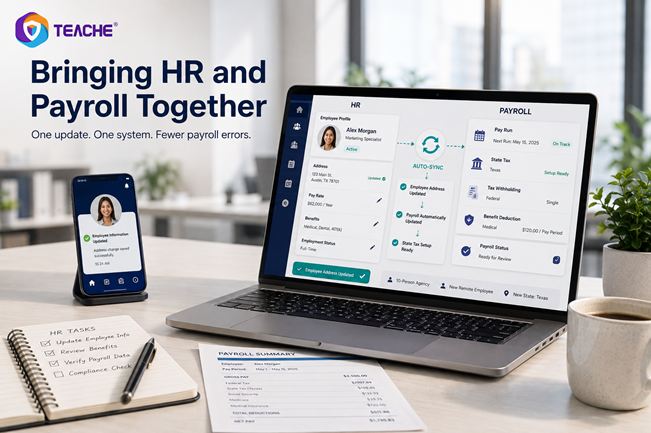
Many owners prefer hr and payroll software solutions bundled into one platform. Employee records sync automatically with pay runs, tax filings, and benefit deductions, which removes duplicate data entry.
The main advantage is accuracy. When HR and payroll live in separate systems, a simple update like a new pay rate has to be entered twice, which raises the risk of a costly error, especially during a busy hiring month.
Example: A ten-person agency hires a remote employee in a new state. In a bundled system, entering that address once triggers correct state tax setup for payroll automatically, instead of requiring a second manual entry.
What Strong Platforms Have in Common
Vendors sometimes market themselves as the best reviewed hr software solutions, but that label only means something when it's backed by a clear, cited comparison methodology. What actually holds up in daily use is simpler: a clean interface, transparent compliance support, and smooth integration with existing accounting or scheduling tools.
Support quality matters most for small teams, since they rarely have an in-house HR specialist to troubleshoot issues. Responsive live chat or phone support during setup makes a measurable difference, particularly in the first few payroll cycles after switching systems.
It is also worth being precise about what compliance features actually do. Software can help track deadlines and apply state-specific rules, but it cannot guarantee legal compliance on its own, since that responsibility ultimately sits with the employer.This is true across nearly every category of hr software solutions for small business, not just one vendor.
Mistakes to Avoid When Comparing Options
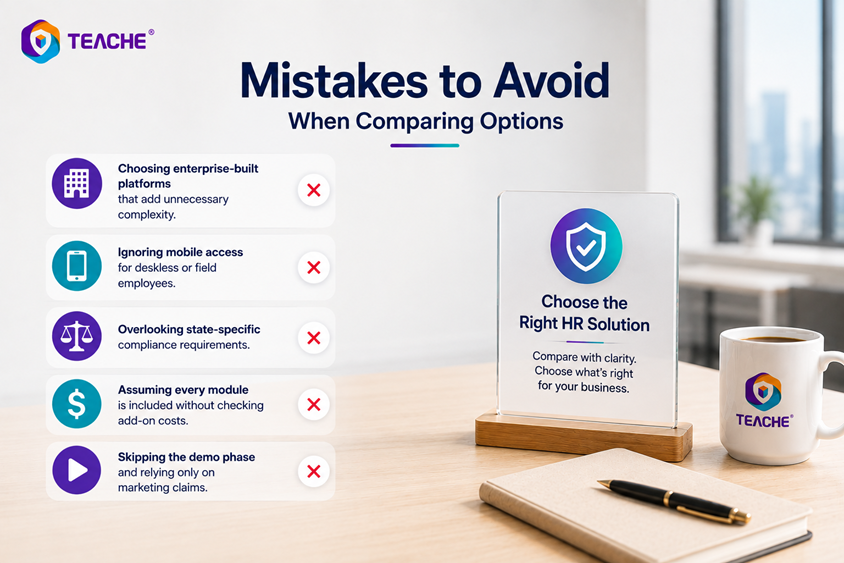
Even careful buyers make avoidable mistakes when evaluating hr solutions for small businesses. Most of these mistakes come from comparing price or brand recognition instead of matching the tool to actual daily workflows.
● Choosing enterprise-built platforms that add unnecessary complexity.
● Ignoring mobile access for deskless or field employees.
● Overlooking state-specific compliance requirements.
● Assuming every module is included without checking add-on costs.
● Skipping the demo phase and relying only on marketing claims.
Frequently Asked Questions
-
The strongest option combines centralized records, time tracking, and self-service access in one simple interface. Small teams benefit most from tools that require minimal training.
-
Most HR departments rely on an HRIS for records, an applicant tracking system for hiring, and payroll software for pay. Many small businesses now prefer a single combined system that handles all three functions together, rather than managing separate tools.
-
Some platforms are adding AI-assisted features like resume screening or onboarding chatbots, though adoption still varies widely by vendor. These features are worth checking firsthand rather than assuming every hr software solution includes them.
Key Takeaway
The right hr software solutions for small business earns its cost by cutting duplicate work, not by having the longest feature list. Match team size and workforce type to the software, confirm what's actually included, and test it with a real demo before signing anything.
Still unsure which setup fits your team? Get in touch with a specialist to walk through the options.